Porn blocker for iPhone, without a VPN
Open Book is a porn blocker for iPhone built on Apple's Screen Time controls, and basic blocking is free. When blocking is on, Safari's adult-content filter turns on and the apps, app categories and websites you choose are blocked. There is no VPN, your browsing stays on your phone, and no one else gets reports. An optional paid Strict mode can lock blocking for days at a time.
Direct App Store link · Basic blocking free · iPhone with iOS 17 or later
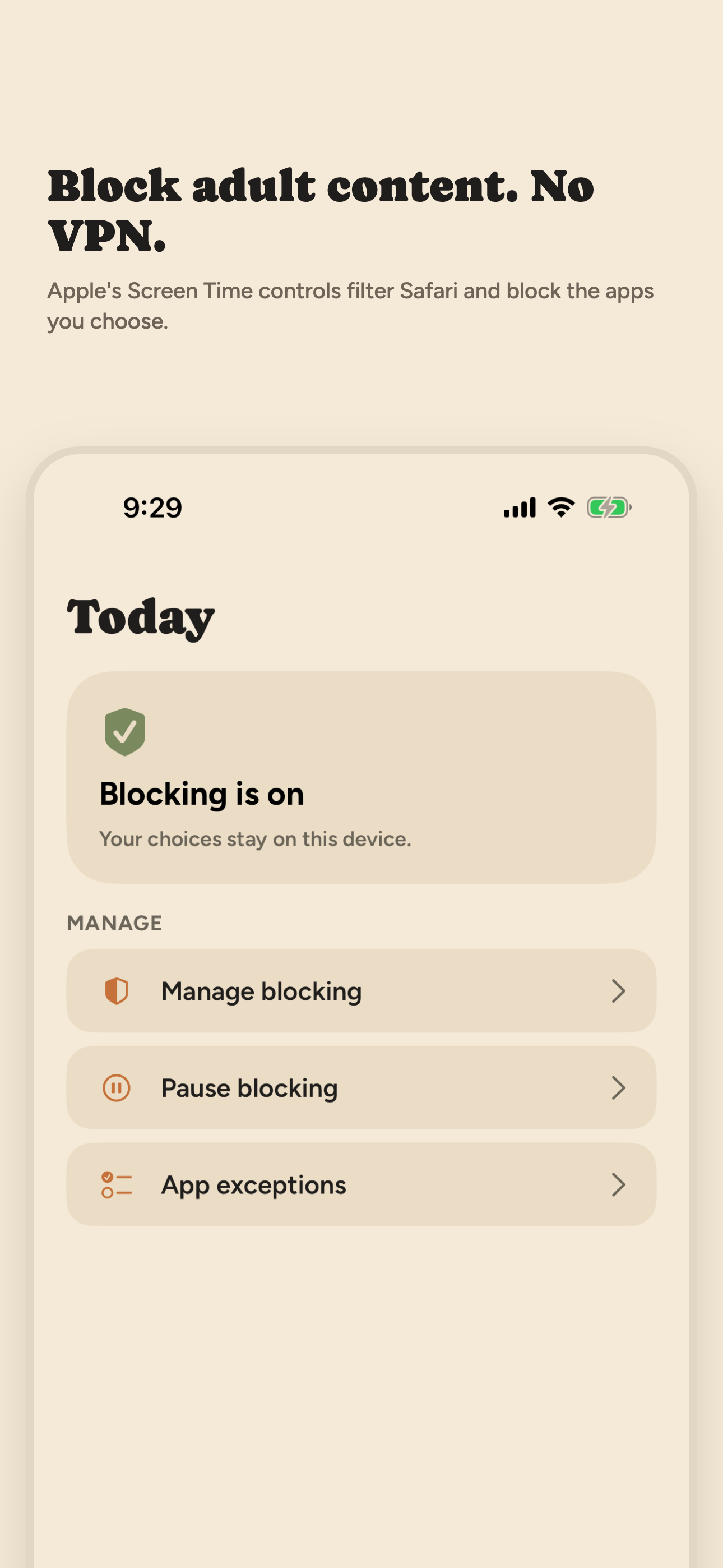
You choose the block. Nobody sees what you browse: your choices and activity stay on your iPhone.
Updated October 2026. We make Open Book. This page describes version 1.0.6, the version on the App Store in October 2026.
What Open Book blocks
- Adult websites in Safari. Turning blocking on switches on Apple's own adult-content filter, the one in Screen Time's Limit Adult Websites setting. You don't have to find it in Settings yourself.
- Apps you choose. Pick apps with Apple's picker. A blocked app shows a blocked screen instead of opening.
- Whole app categories. Block a category such as Social or Games, then add app exceptions so a work chat app or another app you rely on keeps working.
- Websites you choose. Add specific sites in the same picker, for sites the adult filter doesn't catch.
All of it runs on your iPhone through Apple's Screen Time framework. Open Book installs no VPN profile, does not route or inspect your traffic, and takes no screenshots.
How to set it up
- Download Open Book from the App Store. Basic blocking is free.
- Allow Screen Time access when iOS asks. That is Apple's permission for apps that block on your own iPhone.
- Choose apps, app categories and websites to block in Apple's picker. Add app exceptions if you block a whole category.
- Turn blocking on. Safari's adult-content filter turns on with it.
To use only Apple's filter with no app, follow our Safari steps. To cover explicit music, video and images in Messages too, see how to block adult content on iPhone.
What helps you keep it on
- A wait before stopping. Stopping blocking takes a 30-second wait that gives an urge time to pass, and you can choose a short pause instead.
- Short pauses. Pause blocking for 15, 30 or 60 minutes. Blocking is scheduled to resume when the pause ends, and you can resume sooner. iOS may delay the resume while your phone is idle.
- A 30-day challenge. Every day blocking stays on with no pause counts as a kept day. You can see all 30 days, get a short note after days 7, 14, 21 and 30, and start over when you want.
- A private Activity log. It lists when blocking and pauses started and stopped. It records event types and times only, never websites, app names or browsing history.
- A weekly recap. Turn it on to get a notification each Sunday evening that counts your pauses and your days without one. It is built on your iPhone.
- Strict mode (optional, paid). Lock blocking for 1, 3, 7 or 30 days. Until the lock ends, Open Book won't stop blocking, pause, remove apps or add exceptions. Or make stopping take 5, 15 or 60 minutes instead of 30 seconds. It costs $9.99 a month or $59.99 a year. Turning off Screen Time access in iPhone Settings still ends all blocking at any time.
How it compares
Swipe horizontally to compare.
| Option | How it blocks | Who sees your activity | Cost |
|---|---|---|---|
| Apple Screen Time alone | Limit Adult Websites filter in Safari, plus sites you add | No one, from the filter itself | Free, built in |
| Open Book | The same Apple filter, plus apps, app categories and websites you pick; no VPN | No one: no browsing history is collected or shared | Free; Strict mode $9.99/mo |
| Partner-report apps | Varies: VPN, on-device detection or screenshots | A partner you choose gets reports | Paid subscriptions |
Partner-report apps include Covenant Eyes, Ever Accountable, Accountable2You and BlockerX. They suit people who want another person to see their activity. Our best porn blocker for iPhone guide compares seven options, and there are alternatives pages for QUITTR, Ever Accountable, Covenant Eyes and BlockerX.
What Open Book does not do
It has no accountability partner, no reports to anyone, no community and no lessons. It is for managing your own iPhone, not for monitoring someone else's. To improve the app, it sends a few anonymous usage events, such as starting or finishing a challenge. They never include websites, app names or Screen Time data, and they are not linked to your account. Details are in the privacy policy.
An honest word about limits
No blocker you control yourself is bypass-proof. You can stop blocking in the app after a 30-second wait, unless you have started a Strict mode lock, and you can turn off Screen Time access in Settings at any time. That is by design. Open Book adds friction you chose at the moment it matters. If you want more friction, use Strict mode, or ask someone you trust to set your Screen Time passcode. Read more about blocking without a VPN.
Frequently asked questions
Is Open Book free?
Basic blocking is free: blocking, pauses, the 30-day challenge, the Activity log and the weekly recap cost nothing. Strict mode is an optional paid add-on, $9.99 a month or $59.99 a year. It locks blocking for 1, 3, 7 or 30 days, or makes stopping take longer.
Does Open Book use a VPN?
No. Open Book blocks through Apple's Screen Time framework on your iPhone. It installs no VPN profile and does not route or inspect your traffic.
Can anyone see what I browse with Open Book?
No. Open Book does not collect or share your browsing history, and it has no partner or reports. Your blocking choices, Activity log and challenge stay on your iPhone.
Can I turn Open Book off?
Yes. Stopping blocking in the app takes a 30-second wait, unless you have started a Strict mode lock, which keeps blocking on until it ends. Turning off Screen Time access in iPhone Settings ends all blocking at any time. No blocker you control yourself is bypass-proof.
Which iPhones does Open Book work on?
Any iPhone with iOS 17 or later.
On a desktop? Point your iPhone camera here to open Open Book on the App Store.